How to Use AI as Your Personal Tutor (Without Letting It Think for You)
Prompts, habits and warnings for learning IT and cybersecurity faster with ChatGPT, Claude or Gemini.

AI can explain any IT topic at any hour, as many times as you need, and at whatever level you ask for. That's powerful for a beginner. It's also a trap, because it can hand you answers so smoothly that you never learn to find them yourself.
This post shows how to use AI as a tutor that makes you better at the skill, and not as a machine that does your homework. The prompts work in any of the big chat tools: ChatGPT, Claude or Gemini. All three have free plans.
The one rule
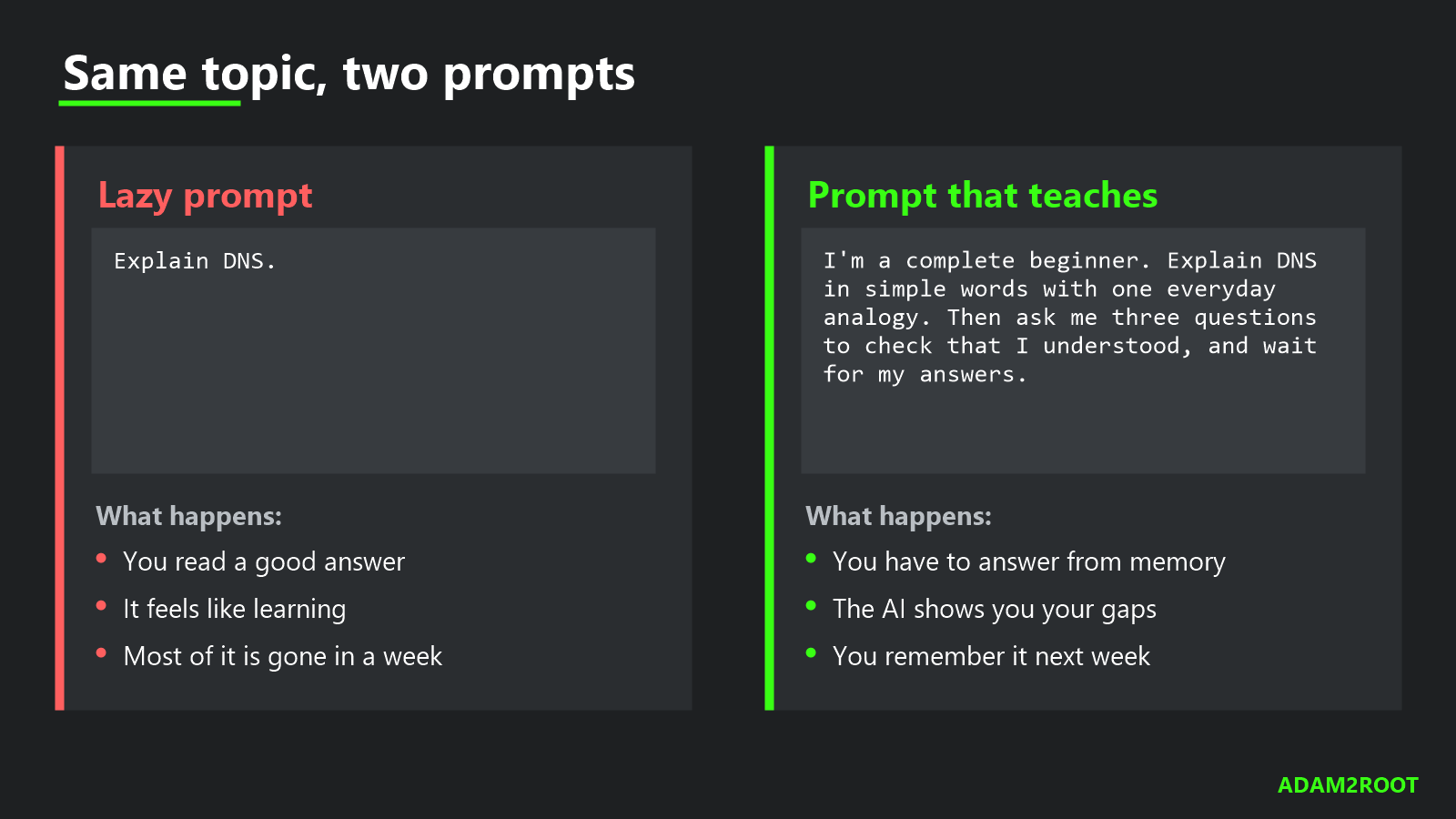
Make the AI ask you questions, not just answer yours.
If you only ask for answers, you collect information. You learn when you have to produce the answer yourself and then get corrected. Almost everything below is a way of setting that up.
What AI is good at
- Explaining a concept in simpler words, or with a different example, until it clicks.
- Quizzing you on what you just studied.
- Finding the mistakes in an explanation you wrote.
- Building a practice plan for the time you actually have.
- Turning your messy notes into clear flashcards.
- Explaining an error message you don't understand.
What AI is bad at
- Being right. It can state wrong commands, invented options and made-up facts in a confident tone. This is called hallucination, and it happens even with the best models.
- Knowing your situation. It doesn't see your screen or your lab unless you show it.
- Building your skill. If it does the thinking, you don't get better.
Prompts that teach
Copy these and change the topic.
To learn a new concept
I'm a complete beginner. Explain DNS in simple words with one everyday analogy. Then ask me three questions to check that I understood, and wait for my answers before telling me if I'm right.
To be quizzed
Quiz me on the TCP/IP model, one question at a time. Wait for my answer, tell me if it's right, and explain it if it's wrong. Make the questions harder as I get them right.
To check your understanding
Here is my explanation of how DHCP works: [your explanation]. Find any mistakes or gaps, but don't rewrite it for me. Tell me what to fix and let me try again.
To get unstuck without the answer
I'm stuck on this error: [paste the error]. Don't give me the solution yet. Give me a hint about where to look, and I'll tell you what I find.
To build a plan
I have five hours a week and a Windows laptop. Make me a four-week plan to learn the basics of networking using only free tools. Include one hands-on task per session.
To make flashcards
Here are my notes on Linux permissions: [notes]. Turn them into 15 question and answer flashcards.
Don't worry if some of the terms in these prompts (DNS, DHCP, TCP/IP) mean nothing to you yet. They're networking topics we'll cover soon, and these prompts are a good way to study them when we get there.
A tutor setup you can reuse
Most AI tools let you save instructions so you don't have to repeat them in every chat. ChatGPT and Claude both have projects, and ChatGPT also has custom instructions that apply to every chat. Gemini has its own version too. The names change often, so look in the settings or sidebar for "projects", "custom instructions" or something similar. Paste something like this:
You are my IT and cybersecurity tutor. I'm a beginner working toward a help desk job and later penetration testing. Explain things simply and define every term. Before giving me a full answer, ask what I already know or what I've tried. After explaining something, quiz me. If I make a mistake, hint first and explain second. Say so when you're unsure, and never invent commands. Remind me to test commands only in my own lab.
Adjust it to your goals.
Here's how I use AI myself. I capture my study notes fast, often by voice, and they come out messy. Then I use Claude Code, an AI tool that can work directly with files on my computer, to sort those notes into clean pages in my notes vault. The AI does the filing. The studying, the labs and the mistakes are still mine.
Rules for staying safe
- Verify before you run. Test any command from an AI in your own lab, and check it against official documentation or a second source. Never run a command you don't understand.
- Keep private information out. Don't paste passwords, API keys, customer data, or anything from an employer into an AI tool.
- Stay legal. Ask AI to help you understand attacks and defenses, and use what you learn only on your own lab or with written permission. Don't ask it to help attack real targets.
- Watch for the illusion of learning. If you read a perfect AI summary and feel like you know it, test yourself without it. If you can't explain it afterwards, you haven't learned it yet.
How this fits the rest of the course
AI is useful later too. We'll use it to research the roles you want, and to improve your resume and LinkedIn profile. It can't replace the practice. You still have to type the commands and break the lab yourself.
Your exercise
This takes about 20 minutes.
- Save your tutor. Open the AI tool you like best, find its projects or custom instructions, and paste the tutor setup from above. Two minutes, and every future chat gets better.
- Pick a topic. Choose something from the last post you studied, or use "what is RAM" (it's the topic of the next post).
- Get taught, then tested. Use the "learn a new concept" prompt. When the three questions come, answer them without looking anything up.
- Get corrected. Ask the AI to tell you exactly where your answers were wrong or incomplete.
- Write it down. Add what you got wrong to your notes page from the last post. Those mistakes are the most useful thing you'll learn today.
What's next
Now that you know how to learn, we start on the content. The next post covers what's inside a computer: the CPU, memory, storage and more. Everything else in this course sits on top of it.
Comments
Join the discussionNo comments yet. Be the first to comment.
Adam2Root: Help Desk to Hacker
A free, step-by-step path from zero IT knowledge to a first help desk job, and from there toward penetration testing. Written by someone learning it one step ahead of you. Read the posts in order.